

*I understand that many in my audience are aspiring cybersecurity professionals. That’s why I’ve included information about how becoming an IT Support Specialist (Tech Support) can help pave the way toward achieving a cybersecurity role.*
In the fast-paced world of modern technology, IT Support Specialists (Tech Support) are the very unlikely heroes of the story of business time and time again. They ensure that systems run smoothly, issues are resolved promptly, and users stay productive. Their role goes beyond just fixing technical problems; they are instrumental in maintaining productivity, ensuring security, fostering innovation, and ultimately, ensuring customer satisfaction.
Despite its importance, IT Support is a title not many people enjoy speaking about; it is surrounded on all sides with animosity. One side being Users, another being the tech support agents themselves, most of the other sides are of toxic work experiences and environments. However, IT Support Specialists can be the saving grace to productivity and money-making. It is a structured role with many aspects that support the organization and anything that falls into the SLA (Service Level Agreement) for customers. This not only means that you are asked to provide expertise to users, but you may be asked to provide that same expertise to your company in the way of fixing any hardware/software issues.
IT Support Specialists are required for most, if not all, operating businesses. Even if not explicitly stated, a business will have to provide this role over the phone or in person in some capacity eventually. SLAs are only limited when scopes are shrunk due to constraints based on time and money. To completely understand what is required of an IT Support Specialist, I have researched and collected the following.
Educational Requirements and Skills Needed
While a high school diploma is typically the minimum requirement, having a degree in Computer Science or Information Technology can significantly enhance employment prospects. Technical skills, including proficiency with computer systems and hardware, are essential, as are customer service skills and the ability to think critically and solve problems. Additionally, certifications such as CompTIA A+, Microsoft Certified: Azure Fundamentals, or Cisco’s CCNA can provide an edge in the competitive job market, showcasing specialized knowledge and commitment to the field. These credentials can demonstrate a candidate’s technical competence and dedication to continuous learning, which are highly valued by employers.
What can make you best prepared to fit in the role of IT Support Specialist level 1 includes several key attributes and experiences.
- Being the go-to person, your friends and family ask to fix any electronic device issue they may encounter indicates a natural aptitude for troubleshooting and problem-solving.
- An innate curiosity and interest in fixing problems are essential, as these roles often involve diagnosing and resolving a variety of technical issues.
- Politeness, empathy, and charisma are equally important, as IT support specialists need to communicate effectively and provide excellent customer service, often to frustrated users.
- Completing an Information Technology support course, either online or through a college program, can provide a solid foundation of knowledge and skills, preparing you to handle the diverse challenges faced in an IT support role. These experiences and attributes combined can set the stage for a successful career in IT support.
While formal education and technical skills are important for success as an IT Support Specialist level 1 position, personal qualities such as a helpful nature, problem-solving skills, and empathy are equally essential. Being the go-to person for tech support among friends and family, showing an interest in problem-solving, and possessing strong interpersonal skills are all indicators of readiness for this role. By combining these qualities with relevant education and training, individuals can position themselves as highly effective and valuable IT support professionals.
The Interview
Regardless of whether you are seeking an IT Support Specialist role or a Cybersecurity role these questions should be answerable by you. In a cybersecurity interview it would be ridiculous to hear such questions as these, because the interviewer should SHOULD* have technical knowledge and experience pertaining to that job role but I digress. In any case the following questions should be of trivial conversation for someone with experience in IT that is why, I am in this eluding to using this job role to break into the IT industry to gain real world experience.
In interviews, candidates may be asked about their experience with servers or switches, office suite software, printers, and computers. They may also be asked how they deal with frustrated customers and whether they are more comfortable with PCs or Mac devices.
*Every interview should be asking questions that fall under the qualifications listed in the advertisement*
Questions you will more than likely be asked in the
interview:
Do you have experience working with servers, switches, or other networking equipment?
Are you familiar with and experienced in using office suite software?
Can you describe your experience with printers and computers?
How do you handle situations where customers are frustrated or angry with you?
Are you more comfortable working with PCs or iOS & Mac devices?
How do you approach learning about new technologies or software?
Have you ever worked on a team project to implement a new system or technology? What was your role and contribution?
Can you discuss a time when you had to explain technical information to a non-technical audience? How did you ensure they understood?
Have you identified and implemented process improvements in your support role? What was the improvement and its benefits?
How do you prioritize and manage your workload when dealing with multiple support requests?
How do you troubleshoot technical issues when you’re unsure of the cause?
Can you describe a time when you handled a confidential or sensitive information security issue? How did you ensure security and privacy?
Have you encountered and resolved particularly challenging technical problems in your previous roles? How did you approach the resolution?
You want to pull from experience the most you can as a retelling of something that personally happened to you is engaging to the interviewer and to all those who hear. If you have no experience in anything related to the question pertaining to your past occupations, then use something from either your family or friend group that you went through. If that is not an option, you must consider speaking to the educational background you hold and information you hold when it comes to the situation or hardware/software devices.
Certifications
Certifications are a critical component of building a strong foundation in the IT field. They not only validate your skills and knowledge but also demonstrate your commitment to professional growth. Certifications such as CompTIA A+ and Microsoft Certified: Windows Server Fundamentals are particularly valuable, as they provide a broad understanding of essential concepts in IT support and server management, respectively.
CompTIA A+ is renowned for its comprehensive coverage of hardware, networking, and software topics, making it a versatile certification for aspiring IT professionals. It serves as a solid entry point, equipping individuals with the fundamental skills needed to excel in various IT roles.
Similarly, the Microsoft Certified: Azure Fundamentals certification is highly regarded for its focus on cloud computing principles and Microsoft Azure services. In today’s digital age, cloud computing is a key driver of innovation and efficiency in businesses, making this certification particularly valuable.
For those interested in networking, Cisco’s CCNA certification is a must-have. It covers a wide range of networking topics, including routing and switching, which are essential for building and maintaining modern network infrastructures.
Furthermore, the Dell Certified Technician certification demonstrates proficiency in Dell’s hardware products, which is valuable for individuals working in environments that rely heavily on Dell technologies.
Lastly, the ITIL certificate is essential for those interested in IT service management. It provides a framework for managing IT services and helps organizations align their IT services with business goals.
Overall, these certifications can greatly enhance your qualifications and open up a wide range of opportunities in the IT industry. However, it’s important to note that certifications should be complemented by practical experience gained through internships or entry-level positions to truly stand out in the competitive IT job market.
Career Path
*This is an extremely small excerpt as a career path as IT Support Specialist branches out to nearly every single position a expert can hold in IT.*
It should be known starting out, IT support specialists often handle basic customer service and support tasks, gradually moving into roles with more responsibility and specialization. Advanced positions may involve senior technical support roles or transition into related fields like network administration or cybersecurity.

What this Job Role can look like day to day
*The role of an IT Support Specialist can be performed in-person or remotely.*
Being an IT Support Specialist has the ability to be an intimidating experience, always asked to answer questions that elude the user or organization. That is why its important to organize your workday but also equally as important to remain flexible to give attention to any emergencies (which as a level I you may not ever be aware of). IT Support Specialist’s typically use a ticketing system that is triaged this allows the organization to maintain documentation and complete research into the issue faster.
*The Ticketing system is important and can be an entire article by itself*
The IT Support Specialist is a role filled with opportunities to perform professionally. Some IT Support Specialist job roles may have different titles but the same responsibilities here I will attempt to produce those titles:
Technical Support Specialist
Help Desk Technician
IT Support Engineer
IT Help Desk Analyst
Customer Support Specialist
IT Technician
Live Chat Specialist
System Support Specialist
Technical Support Engineer
Help Desk Technician
IT Service Desk Analyst
Desktop Support Technician
Virtual IT Helpdesk Analyst
Telecommute IT Service Desk Analyst
Remote Technical Support engineer
*The list can continue with the interchanging of the above words, but they all perform the same duties and are very much IT Support Specialists*
Many of these titles may allude to being performed onsite as Technician can often imply or simply use the word Remote within the title itself. I will give one example of remote and onsite job roles of differing titles day-to-day duties and work. See if you can match the similarities.
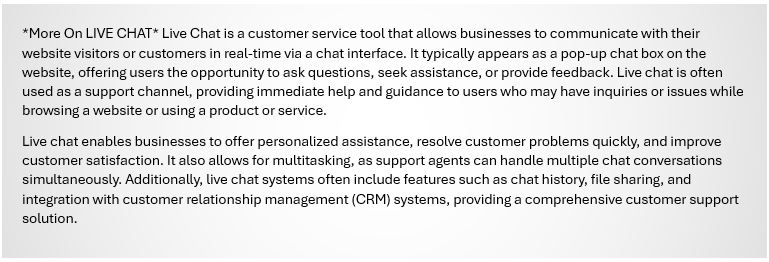
One remote IT Support Specialist role typically begins with interactions through a portal, often initiated by a user this portal is often called “Live Chat.” Taking this as a overarching duty can allow your role to be remote and you can known as the Live Chat Specialist, where the day-to-day experiences can be of the following:
*I am speaking with a sense of generalized day-to-day typicality of being a remote tech support operator. *
A day in the life of a Live Chat Specialist can vary depending on the organization and the nature of the role, but here’s a general overview:
Morning Preparation: Review any updates or announcements from the team or organization. Check the schedule for the day and prioritize tasks.
Engagement and Support: Start responding to live chat queries from customers or website visitors. Provide technical assistance, answer questions about products or services, and troubleshoot issues.
Multitasking: Handle multiple chat conversations simultaneously, ensuring that each customer receives prompt and accurate assistance.
Documentation and Reporting: Keep detailed records of chat interactions, including issues raised and resolutions provided. Generate reports on chat volume, response times, and customer satisfaction.
Collaboration: Work closely with other support team members and departments to escalate complex issues and ensure timely resolution.
Continuous Learning: Stay updated with product or service changes, new features, and industry trends. Participate in training sessions to improve technical knowledge and customer service skills.
Quality Assurance: Adhere to established guidelines and standards for live chat support, ensuring consistency and quality in customer interactions.
Feedback and Improvement: Provide feedback to the team and management on common issues or areas for improvement in the live chat support process.
End-of-Day Wrap-Up: Review the day’s interactions, complete any pending tasks or documentation, and prepare for the next day’s workload. Throughout the day, a Live Chat Specialist needs to maintain a professional and helpful demeanor, even when dealing with challenging or frustrated customers. Effective communication skills, both written and verbal, are essential for success in this role.
Here are some great websites that can help you be the best Live Chat Specialist you can be:
TechRepublic – Offers articles, downloads, and forums for IT professionals, including those in remote tech support.
Spiceworks – A community-driven site for IT professionals with discussion forums and resources for remote tech support.
TechSupportForum – A forum for tech support professionals to discuss issues and share knowledge, including remote tech support topics.
As an on-site IT Support Specialist it is your responsibility to provide technical assistance and support to clients or customers in person, rather than remotely. Typical duties include installing, maintaining, and troubleshooting hardware and software, as well as setting up and configuring computer systems and networks. They may also train end-users on how to use new technologies and provide technical support for issues that cannot be resolved remotely. What a day in the life can typically look like:
Morning Preparation: Begin by checking and assigning
new tickets and responding to emails. Review any updates or announcements from the team or organization. Check the schedule for the day and prioritize on-site tasks.
Engagement and Support: Start responding to on-site
technical queries and issues from customers or employees. Provide assistance with password resets, software installations and configurations, computer and network troubleshooting, and any escalations or transfers.
Engagement continued: Handle on-site tasks, ensuring that each customer or employee receives prompt and accurate assistance. This may include responding to emails, taking calls, and working on tickets.
Documentation and Reporting: Keep detailed records of on-site interactions, including issues raised and resolutions provided. Maintain documentation for tickets, calls, and other interactions. Generate reports on on-site support activities.
-Go To Lunch-
Collaboration: Work closely with other on-site support team members and departments to escalate complex issues and ensure timely resolution. Collaborate with colleagues on problem-solving and troubleshooting.
<The next two points are to be conducted as a professional within your own space and time>
- Continuous Learning: Stay updated with on-site changes, new technologies, and industry trends. Participate in training sessions to improve technical knowledge and customer service skills.
- Quality Assurance: Adhere to established guidelines and standards for on-site support, ensuring consistency and quality in customer interactions. Ensure that on-site support activities meet quality standards.
Feedback and Improvement: Provide feedback to the team and management on common issues or areas for improvement in on-site support. Contribute to improving processes and workflows within the on-site support team.
End-of-Day Wrap-Up: Review the day’s on-site interactions, complete any pending tasks or documentation, and prepare for the next day’s workload. Organize, prioritize, and plan out the next day’s on-site tasks, responding to any remaining on-site requests before wrapping up for the day.
*Whether you are remote or on-site there are many things that correlate and require your attention*
Performance Metrics
Performance as an entry-level professional is often measured by the number of closed tickets. However, it’s important to understand that efficiency in closing tickets is not the only measure of success. IT support specialists can be highly specialized in other aspects of IT, and their performance may be measured differently in different organizations.
I understand that being level 1 IT support can seem meaningless if you are pursuing a cybersecurity role, but this job not only provides you with experience aiding all users within your organization it can also provide you with a launchpad to achieve that coveted cybersecurity role. These roles are no-brainers to their impact on a business and really does translate flawlessly to the bottom line with measures taking place at nearly all points of interaction during resolving issues. Some such metrics are:
- QOS – Quality of Service: The overall
performance of a service, often in terms of its ability to meet customer
expectations.- TAT – Turnaround Time: The time taken to
complete a task or fulfill a request.- FCR – First Call Resolution: A measure of the
percentage of customer inquiries or issues resolved on the first call.- KPI – Key Performance Indicator: A measurable
value that indicates how well an organization is achieving its Key business
objectives.- CSAT – Customer Satisfaction
- NPS – Net Promoter Score: A metric used to gauge
customer loyalty by asking how likely they are to recommend a company’s product
or service.
As I am listing these terms It has dawned on me that I should include some common terminology that is used in this line of work for your benefit:
- SLA – Service Level Agreement: a contract between a service provider and customer that specifies the level of service.
- CRM – Customer Relationship Management: Software that helps manage a company’s interactions with current and potential customers.
- ITIL – Information Technology Infrastructure: A set of basic practices for delivering IT services.
- CS – Customer Service: The assistance and advice provided by a company to those people who buy or use its products or services.
- CMDB – Configuration Management Database: A database used to store config records throughout heir lifecycle.
- RCA – Root Cause Analysis: A method of problem-solving used for identifying the root causes of faults or problems.
- KB – Knowledge Base: a database used for collecting , organizing, and retrieving knowledge to enhance understanding and provide solution.
So, the listed above terms are very much for the customer support facing aspects of being a IT Support Specialist. As a specialist you may be asked to be not only fully committed to providing solutions to customers over the phone but also in person whether that means at a customers site or on the same premises you conduct customer service resolutions over the phone. It all depends on your job description and the skills which you can offer your employer.
Essential Functions and Responsibilities
IT support specialists are responsible for answering helpdesk calls, providing systems support, creating and maintaining support documentation, and actively participating in the ticketing process. They
diagnose and resolve software and hardware incidents, install and deploy new IT equipment, and maintain service level agreements for tickets assigned.
Maintaining Productivity, Ensuring Security, Fostering Innovation, and Customer Satisfaction are the four main pentacles in what an IT Support Specialist needs to uphold.
As an IT Support Specialist, maintaining productivity, ensuring security, fostering innovation, and ensuring customer satisfaction are paramount. Productivity is improved by swiftly resolving technical issues to minimize downtime. Security involves implementing and maintaining robust security measures to protect systems and data. Fostering innovation includes staying updated with technology trends and proposing solutions to enhance efficiency. Customer satisfaction is achieved by providing timely and effective support, exceeding expectations whenever possible.
Balancing these four pillars ensures a successful and impactful IT support role.
Maintaining Productivity: IT Support Specialists play a crucial role in maintaining the productivity of an organization by promptly addressing technical issues. This involves responding to help desk tickets, troubleshooting hardware and software problems, and ensuring that all systems are running smoothly. By minimizing downtime and ensuring that employees have access to the tools they need to do their jobs effectively, IT Support Specialists contribute significantly to the overall productivity of the organization.
Ensuring Security: Security is a top priority for IT Support Specialists, as they are responsible for protecting sensitive data and systems from cyber threats. This includes implementing and maintaining security measures such as firewalls, antivirus software, and intrusion detection systems. IT Support Specialists also play a role in educating employees about best practices for security, such as using strong passwords and being cautious of phishing attempts.
Fostering Innovation: IT Support Specialists are often at the forefront of technological innovation within an organization. They are responsible for staying up-to-date with the latest technology trends and identifying opportunities for improvement. This may involve recommending new software or hardware solutions that can enhance productivity and efficiency. By fostering a culture of innovation, IT Support Specialists can help drive positive change within an organization.
Customer Satisfaction: Ultimately, the goal of an IT Support Specialist is to ensure that end-users are satisfied with the support they receive. This involves providing timely and effective assistance, as well as being responsive to feedback and concerns. By building strong relationships with end-users and demonstrating a commitment to their needs, IT Support Specialists can help ensure that customers are happy and productive.
By upholding these four pillars, you as a IT Support Specialists can make a significant impact on the success of an organization.

Creating Solutions
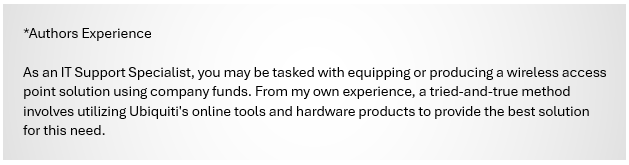
An IT support specialist plays a crucial role in creating and implementing solutions that enhance an organization’s efficiency and productivity. They diagnose and troubleshoot hardware and software issues, ensuring minimal downtime and optimal performance. By staying updated on the latest technological advancements, they can recommend and integrate new tools and systems tailored to the organization’s needs. Additionally, they develop and maintain security protocols to protect sensitive data, provide training to staff to maximize the effective use of technology, and offer continuous support to adapt to evolving technical challenges. Through proactive problem-solving and a deep understanding of the organization’s infrastructure, IT support specialists significantly contribute to the seamless operation and strategic growth of the business.
Continual Professional Development
Staying current with technology and best practices is essential. Continuous learning through courses, webinars, and conferences, as well as building a professional network, can provide opportunities for career advancement.
I have curated the following news resources and social media resources to best suite a IT Support Specialist so you can be kept informed and prepared for anything in your position that is of not your own doing.
https://www.redhat.com/en/command-line-heroes- –
Command Line Heroes is a podcast by Red Hat that delves into the stories of developers, programmers, and open-source enthusiasts who have significantly impacted the technology landscape. Each season explores various themes, such as the evolution of programming languages, the history of computing, and cybersecurity threats. Hosted by Saron Yitbarek, the podcast aims to inspire and educate listeners about the ever-changing world of technology. For more details and to listen to episodes.
https://itcareerenergizer.com/ –
IT Career Energizer offers a podcast hosted by Phil Burgess, featuring over 350 IT professionals sharing their career experiences and insights. The podcast aims to help listeners start, develop, and build successful tech careers through actionable advice and inspirational stories. It also provides regular updates and exclusive content for subscribers, focusing on skill development and career advancement in the tech industry.
https://superuser.com/ –
Super User is a Q&A community for computer enthusiasts and power users. It focuses on a wide range of topics related to computer software, hardware, and networking. Users can ask questions, provide answers, and share their expertise on issues like operating systems, software applications, networking, hardware troubleshooting, and more. It’s part of the Stack Exchange network, which hosts various other specialized communities. The platform encourages detailed, high-quality answers and active participation.
https://learn.microsoft.com/en-us/answers/ –
Microsoft Q&A is a platform on Microsoft Learn where users can ask and answer technical questions about various Microsoft products and technologies. It supports a wide range of topics, including .NET, Azure, Microsoft 365, and more. The site offers articles on how to use the platform effectively, such as writing quality questions and answers. It also connects users to other Microsoft communities for additional support and engagement.https://www.reddit.com/r/sysadmin/ –
The subreddit r/sysadmin is a community for system administrators to discuss a wide range of topics related to IT and systems administration. It includes posts about technical issues, career advice, industry news, and various tools and software. Members often share tips, solutions, and experiences, making it a valuable resource for anyone in the field of IT.
Conclusion
IT support specialists play a crucial role in modern technology, ensuring that systems run smoothly, issues are resolved promptly, and users stay productive. Their role goes beyond just fixing technical problems; they are instrumental in maintaining productivity, ensuring security, fostering innovation, and ultimately, ensuring customer satisfaction. By upholding these pillars, IT support specialists can make a significant impact on the success of an organization.

 LetsGoIT